Innovation maturity
Current stage: MVP
- 01
Idea
Completed stage - 02
Research
Completed stage - 03
Prototype
Completed stage - 04
MVP
Current stage - 05
Production
Future stage - 06
Scale
Future stage
Executive Summary
Kiara (Knowledgeable Issue Assistant for Reporting & Analytics) is a lightweight, natural-language interface for JIRA. It allows program managers, engineers, and stakeholders to ask questions about JIRA issues in plain English rather than writing JQL queries. The application is a Flask-based web chatbot powered by a LangChain tool-calling agent and a self-hosted, OpenAI-compatible LLM (Mistral 12B). It connects to an internal JIRA instance via the JIRA REST API v2 and a Personal Access Token (PAT).
The project demonstrates how a small, modular AI agent can wrap an existing enterprise tool and make it accessible through conversation. It is intentionally built as a local prototype to prove the concept before scaling to a production-grade, multi-user service.
Problem Statement
JIRA is the system of record for issue tracking in many organizations, but extracting information from it is not always intuitive:
The goal is to build an assistant that lives on the user's own infrastructure, understands natural language, and can autonomously query JIRA to answer questions like "Show me all open bugs in PROJECT" or "What is the status of PROJ-1234?".
- JQL has a learning curve: Non-technical stakeholders often depend on engineers or JIRA power users to build queries.
- Context switching is expensive: Program managers may need to open JIRA, navigate filters, and scan multiple screens to answer simple status questions.
- Existing AI assistants are SaaS-first: Cloud copilots may not have access to on-premise JIRA instances or may raise data-sovereignty concerns.
- Insights are fragmented: Status updates, issue details, and project health are spread across tickets, wikis, and chat channels.
Vision
The vision is to make JIRA data as easy to access as asking a teammate:
"Ask any project or issue question in plain English and get an accurate, source-backed answer—without writing JQL, switching tools, or sending internal data to a SaaS AI platform."
Longer-term, the architecture supports:
- Democratizing access to JIRA data for the entire team.
- Serving as a single chat interface for program status, risks, and priorities.
- Integrating with other tools in the program-management ecosystem (Confluence, Slack, Git, CI/CD dashboards).
- Operating inside the organization's network, keeping source data and credentials under local control.
- Supporting role-based access, persistent history, and proactive notifications.
Research
- Tool and model choices : The agent is built with LangChain's `create_tool_calling_agent` pattern. This gives the LLM a clean abstraction for tool use, memory, and OpenAI-compatible chat models. The model is served through a self-hosted, OpenAI-compatible endpoint, which lets LangChain's `ChatOpenAI` client be reused without vendor lock-in. The Mistral 12B endpoint keeps JIRA data inside the network and avoids sending tickets to third-party APIs.
- JIRA integration and prompt engineering : JIRA REST API v2 was chosen because it is stable, well-documented, and supports both JQL search and per-issue lookups. A Personal Access Token is used for authentication, which is easier to rotate than username and password. The system prompt is the central quality lever: it must tell the model when to call tools, how to format JQL, and how to summarize results. Without that guidance, the agent can hallucinate parameters.
- Frontend and deployment model : Flask + Jinja2 + vanilla JS keep the UI lightweight and the backend self-contained. A YAML config file holds the LLM endpoint, model name, JIRA URL, and PAT. A `config.yaml.example` is committed; the real file is gitignored. Windows batch scripts (`start.bat`, `stop.bat`, `status.bat`) manage the local Flask process, log redirection, and PID tracking for the prototype.
Prototype
This journey validates the core bets: users want speed, but not at the cost of accuracy. Natural language removes the JQL barrier, tool-calling keeps the agent honest, and a self-hosted model keeps data inside the organization.
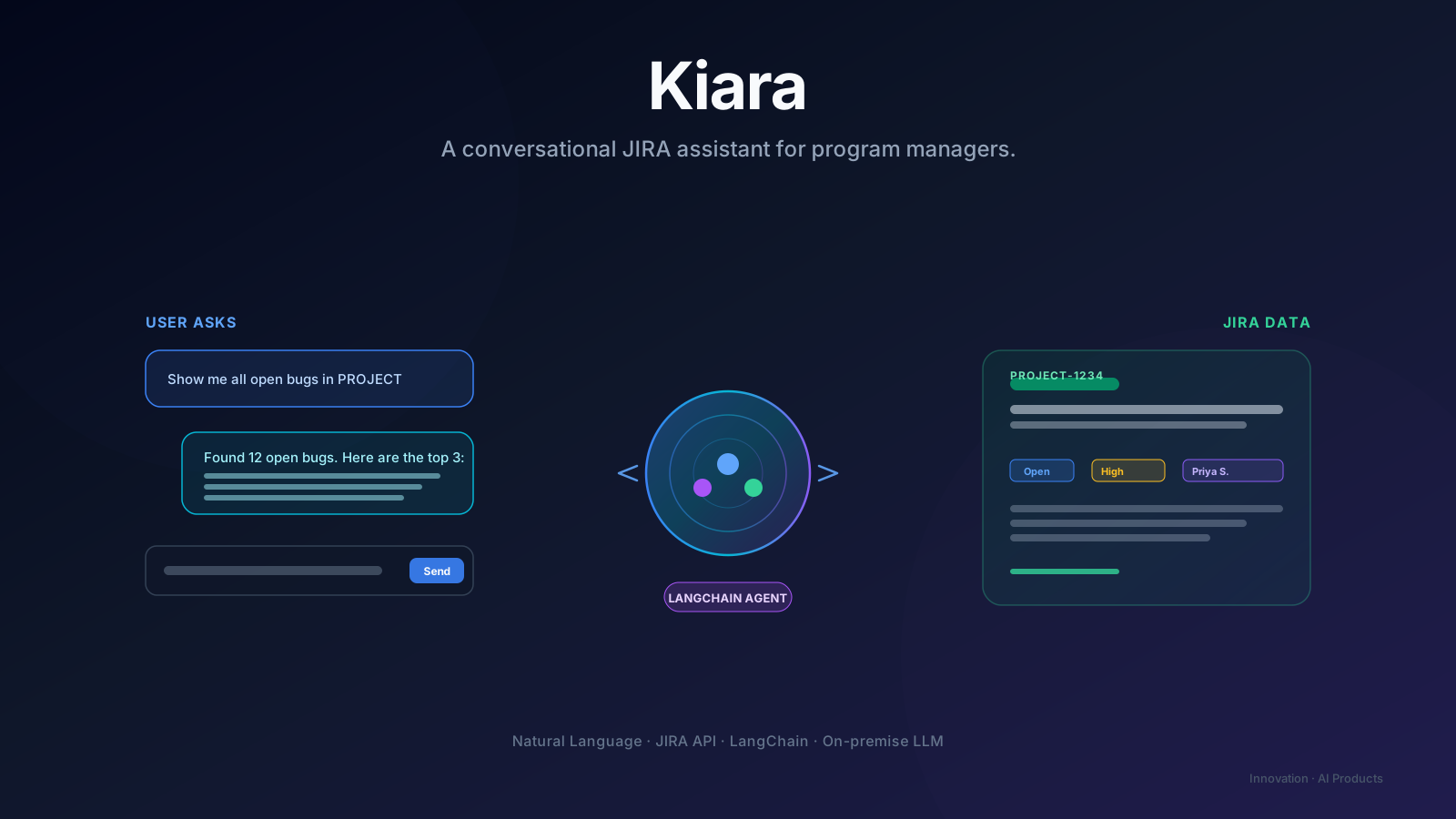
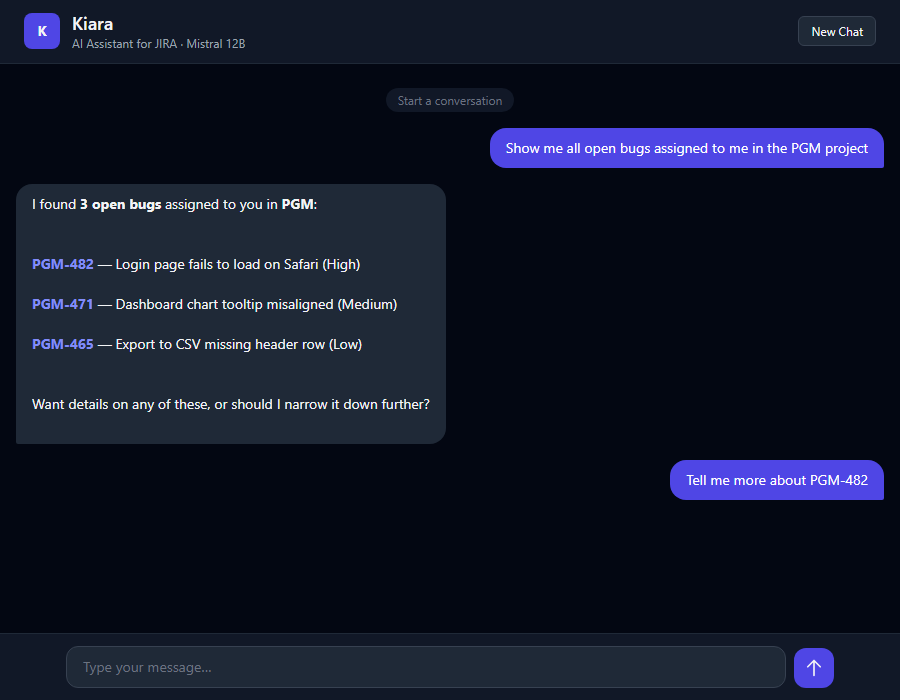
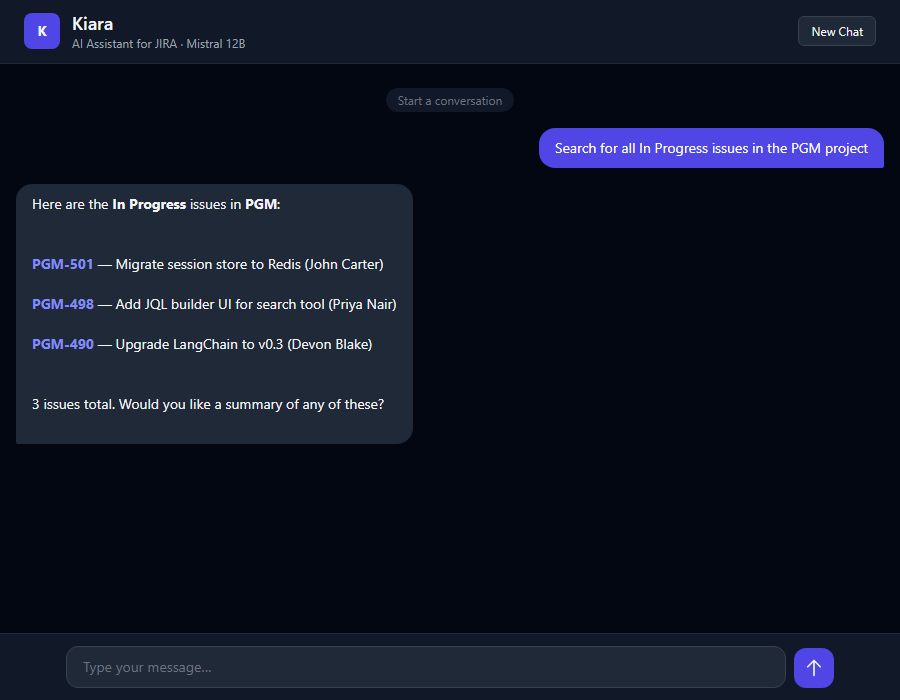
- Priya, an Engineering Program Manager, opens Kiara in the browser and types, "Show me all open bugs in PROJECT." The agent translates the request into JQL, calls `search_jira_issues`, and returns a summary table with key, summary, status, and assignee.
- She follows up with "What is the status of PROJ-1234?" and the agent calls `get_jira_issue`, returning the issue key, summary, status, assignee, priority, and a direct URL.
- Multi-turn memory means she can ask follow-ups without restating context, and a reset button lets her start a new conversation at any time.
Business Value
- Time savings: Reduces the friction of building JQL queries and navigating JIRA screens.
- Accessibility: Enables non-technical managers, executives, and QA leads to self-serve project status.
- Data sovereignty: Runs against an on-premise LLM and internal JIRA, keeping source data inside the organization.
- Extensibility: The modular tool pattern turns the chatbot into a platform that can absorb Confluence, Slack, Git, and CI/CD data.
- Low operational cost: Uses open-source/self-hosted components and a small Flask service, avoiding per-seat SaaS fees.
- Developer experience: Clear separation between the web layer, agent logic, and tool modules makes onboarding and iteration fast.
Lessons Learned
- Start with a narrow, well-defined tool set. Limiting the first version to search and get issue kept the agent prompt and failure modes manageable. Expansion is easier once the core loop is stable.
- LangChain agents are powerful, but prompt engineering is critical. The system prompt must clearly tell the model when to use tools, how to format JQL, and how to summarize results. Without that guidance, the agent can hallucinate parameters.
- Prototype state management is fine, but do not ship it. An in-memory dictionary works for a single-user demo but must be replaced with a real store before any production use.
- Security shortcuts become production risks. Disabling SSL certificate verification and storing secrets in a local YAML file are acceptable for a local prototype but must be hardened before wider deployment.
- UI polish matters for adoption. Auto-linking JIRA keys, rendering markdown, and auto-resizing the input box make the assistant feel professional and trustworthy, even in a prototype.
- Modularity pays off. Treating each JIRA operation as an independent `@tool` makes unit testing, adding new capabilities, and reasoning about the agent's behavior much simpler.
- Operational scripts should not be an afterthought. The `start.bat`, `stop.bat`, and `status.bat` scripts improve the local developer experience, but a containerized, cross-platform deployment is needed for maintainability.
Architecture
Conversational agent over JIRA
A Flask web layer hosts a LangChain tool-calling agent that queries JIRA through a small set of reusable tools.
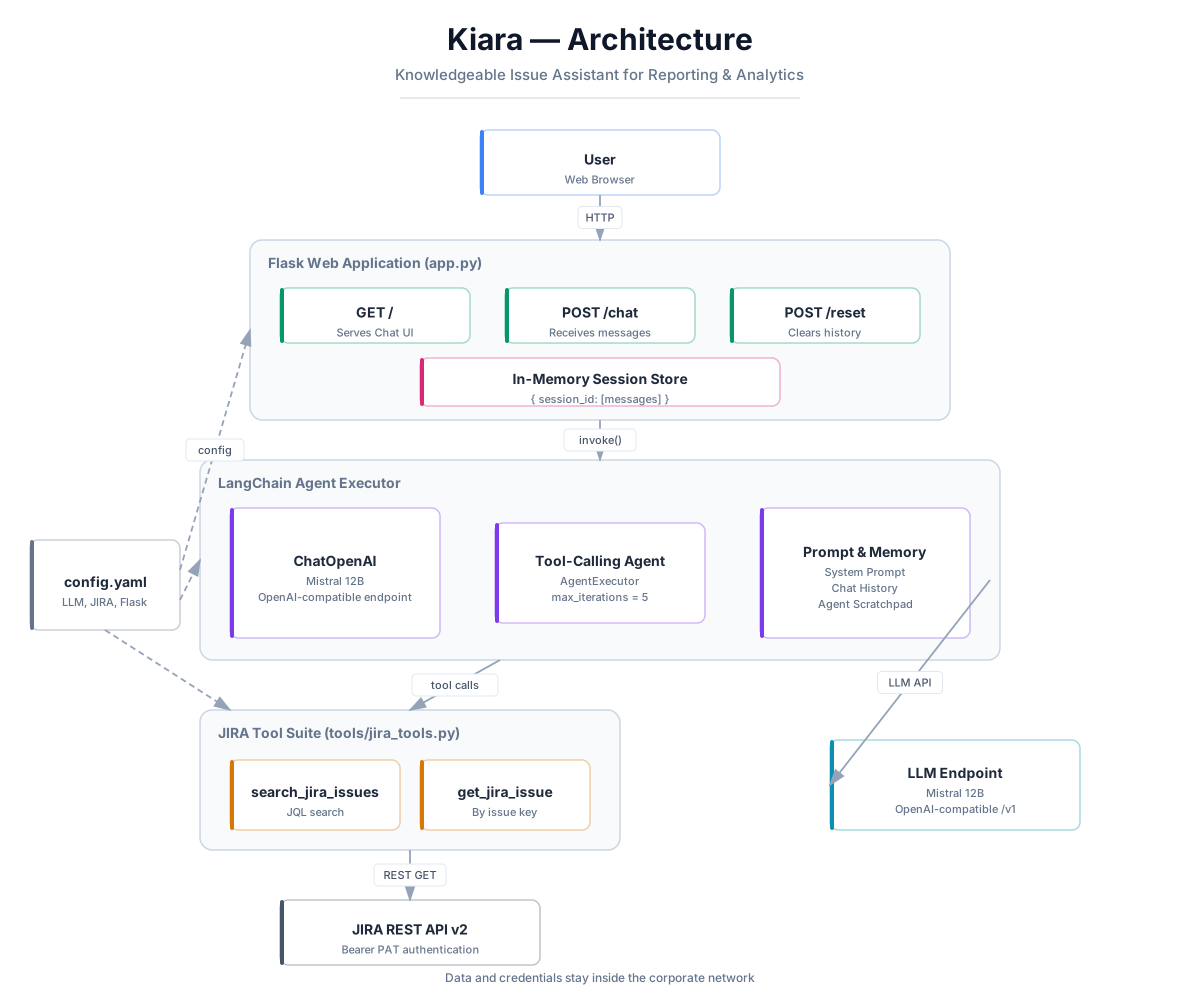
Layer 01
Web UI
The Flask app serves the chat UI, manages session-based conversation history, and invokes the LangChain agent on POST /chat.Layer 02
Agent orchestration
A ChatOpenAI client talks to a self-hosted, OpenAI-compatible LLM so internal JIRA data never leaves the network.Layer 03
JIRA tools
Two LangChain tools wrap JQL search and single-issue lookup; the agent decides which to call based on the user's question.Layer 04
JIRA REST API
A YAML config keeps the LLM endpoint, JIRA base URL, and PAT out of source control and simplifies environment-specific deployments.
Roadmap
Learning before commitment.
- 01Completed
Agent loop and two JIRA tools
Conversational search and issue detail lookup against the JIRA REST API are working end-to-end.
- 02Future
Persistent conversation store and auth
Replace in-memory sessions with a durable store and add SSO/RBAC before multi-user deployment.
- 03Future
Cross-platform packaging
Dockerize the Flask app and replace Windows batch scripts with a container-friendly process manager.
- 04Future
Additional enterprise tool integrations
Add Confluence, Slack, Git, and CI/CD tools as LangChain modules without changing core agent code.
Gallery
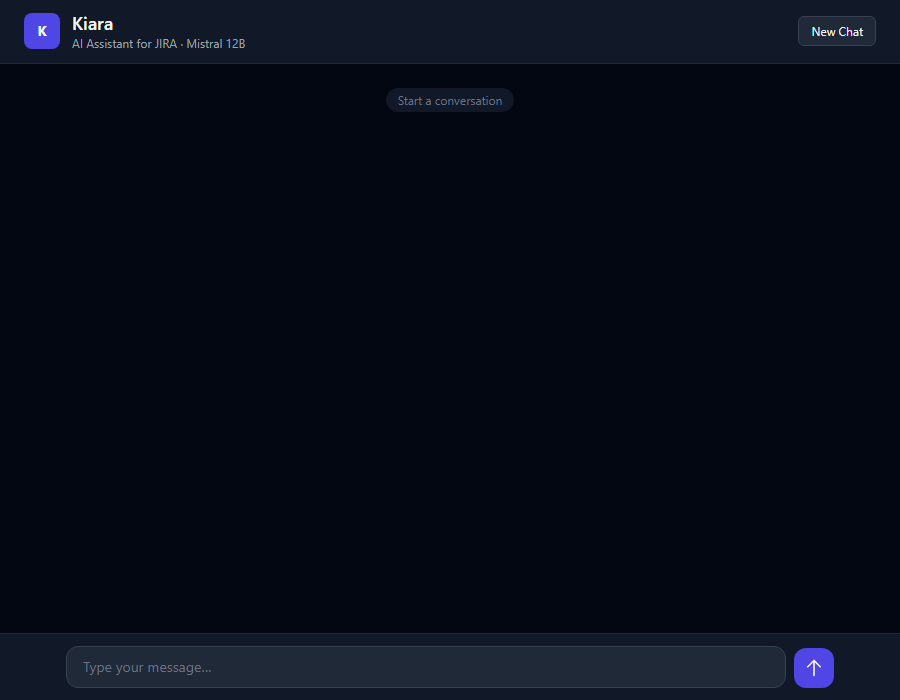
Product views
Resources